If you are curious about retro computing but unsure where to begin, start small. Pick one classic machine family, learn the safety basics, and see real hardware in a museum before you spend money on anything.
| Item | Value |
|---|---|
| Commodore Amiga anniversary marked by a UK museum | 40 years (2025) |
| Memory of the Amiga 1000 in that exhibition | 256 KB of RAM |
| Year of the Amiga CD32 console | 1993 |
| Telmac TMC-600 production run | Fewer than 600 units |
| Year of the Telmac 1800 computer kit | 1977 |
| Year of the Apple Macintosh Portable M5120 | 1989 |
The figures come from The Register’s 19 August 2025 report and a Finnish private museum’s collection page. Figures can change as sources are updated, so check the source before you rely on them.
What retro computing is and why it keeps drawing people in
Retro computing is the practice of using, preserving and studying older computers for the pleasure and the lessons they hold. It covers a wide range of activities, from playing a favourite game on original hardware to repairing a dead motherboard. What ties them together is respect for how these machines were built and used.
One Finnish collector describes classic machines as the golden era of innovation, where every new microcomputer changed how people work, play and create. That is a personal view, but it explains the pull. Each generation of hardware solved problems in its own way, and the limits of the time are easy to see.
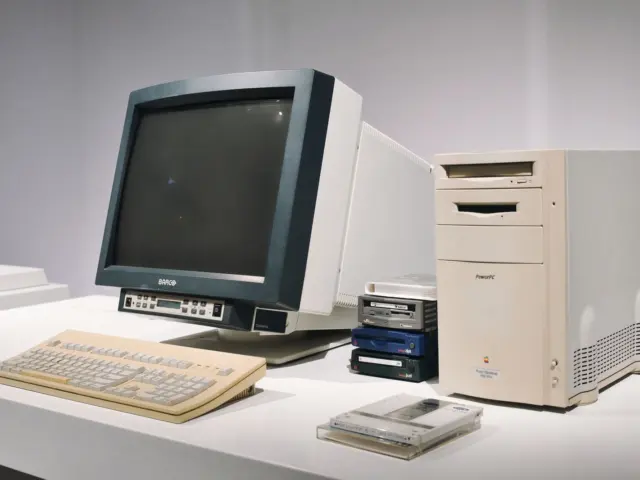
The sensory side matters too. The same collector points to the clicky mechanical keyboards, the hum of floppy drives and the glowing CRT monitors as part of what makes these machines memorable. You cannot get that from a screenshot, which is one reason some people prefer working hardware to an emulator.
If you want the long view first, the guide to the history of personal computers traces how home and office machines developed. This hub focuses on the practical side: what to look at, where to see it and how to keep it alive.
Most people arrive through one of five doors:
- Collecting: hunting for particular models, boxes and accessories.
- Repair and restoration: bringing a silent machine back to life.
- Playing: running original games and software on original hardware.
- Programming: writing new code for old systems.
- Visiting: seeing machines at museums and exhibitions.
None of these paths needs a large budget at the start. A museum visit, or a careful read of a collector’s catalogue, costs little and shows you what you actually enjoy before you commit to a shelf of beige boxes.
Classic machines worth knowing
A few families come up again and again in collections and exhibitions. The notes below rely on what museums and collectors say about them, not on marketing claims.
The Commodore 64
The Commodore 64 turns up in almost every list, partly because it was so widespread. The Binary Dinosaurs museum site calls its two machines massively ubiquitous and completely non-rare items. The same page says one was bought for the box alone, which tells you that packaging matters to some collectors as much as the computer inside.
The University of Waterloo Computer Museum catalogues a collection of floppy disks for the Commodore 64. It shows how much of the machine’s identity lives in its software. The commodore 64 history guide covers the computer itself in more detail.
The Amiga
The Commodore Amiga turned 40 in 2025, and The Register reported that The National Museum Of Computing in the UK marked it with a hands-on exhibition of models from its archives. A platform’s story clearly does not end when production does. People still want to touch the Amiga and see it run.
The Amiga 1000 on show ran the Boing Ball demo, which, according to the same report, predates the computer’s release but generated excitement about the hardware. That machine has 256 KB of RAM and a Kickstart floppy disk, while later models have the Kickstart in ROM. The detail shows how early designs leaned on disks that later designs built in.
Software tells the other half of the story. Deluxe Paint III, a bitmap graphics editor, proved popular with younger visitors, and the report names the Amiga CD32 as one of the final throws of the dice for Commodore in 1993. The guide to amiga computer history places these machines in the wider timeline.
Apple and other pioneers
The Finnish collection page highlights the Apple Lisa 2 as one of the first personal computers with a graphical user interface. It also lists the original Macintosh 128K from 1984 and the Macintosh Portable M5120, described as Apple’s first laptop, from 1989. Seen together they sketch a quick path from desktop to portable.
The same page singles out several other machines as notable:
- The Processor Technology SOL-20 (1976), designed by Lee Felsenstein, which it says represents personal computing at its very beginning.
- The Telmac 1800 (1977), described as Finland’s first computer kit.
- The Telmac TMC-600, with fewer than 600 units ever produced.
- The Commodore SX-64, described as the world’s first colour portable computer.
- The Pioneer Palcom PX-7, which combined an MSX computer with a LaserDisc player in 1984.
- The NeXT NeXTstation, named as the platform on which Tim Berners-Lee invented the World Wide Web.
That collection describes its holdings as ranging from early 8-bit pioneers and classic home consoles to powerful workstations. If those labels are unfamiliar, the comparison of 8-bit vs 16-bit computers explains why the split mattered. Knowing the generation of a machine helps you judge what it can and cannot do.

Where can you see classic computers in person?
Museums let you meet machines that are too rare or too fragile to own. According to The Register’s 19 August 2025 report, The National Museum Of Computing has a newly-extended PC Gallery at its Bletchley Park site. The models on show ran from an early Amiga 1000 upward.
Not everything is open to your fingers. The ubiquitous Amiga 500 was available for hands-on time, while the early 1000 was strictly look-and-don’t-touch because of its rarity. That split is a sensible policy for any museum balancing curiosity against preservation.
As of that same report, the exhibition was due to run at least until the end of August, with a chance it might be extended. Treat the article as a snapshot of a past event, not a current listing. Check the museum’s own site before you plan a trip.
Private collections online
You do not need to travel to learn from a collection. Benj Edwards’ Vintage Computing and Gaming page describes a private collection kept mostly to preserve historical artifacts of the video game and computer revolution. Its list shows 119 non-IBM PC compatible computers, of which 105 are unique models, as of the page’s 07/21/2026 update.
The list is a useful reading list in itself. It includes Commodore, Atari, Apple and Tandy machines, and it also lists modern boards such as the Raspberry Pi 500+, so the line between old and new is not fixed in every collection. Items that leave the collection are recorded in a separate list, and several were sent to the Media Archeology Lab.
The Finnish page is similar in spirit, a personal catalogue that runs through Acorn, Amstrad, Apple, Atari and Commodore machines in alphabetical order. Browsing either page teaches you model names and variants before you ever bid on one. If you later start buying, the guide to vintage computer collecting covers how to approach it.
A few habits make any visit more useful:
- Check opening times and exhibition dates on the museum’s own site first.
- Ask volunteers which machines you may touch and which are display-only.
- Write down the exact model names and revisions that interest you.
- Note what the volunteers say about problems with each machine, because it tells you what to look for later.
How do you keep old hardware safe and working?
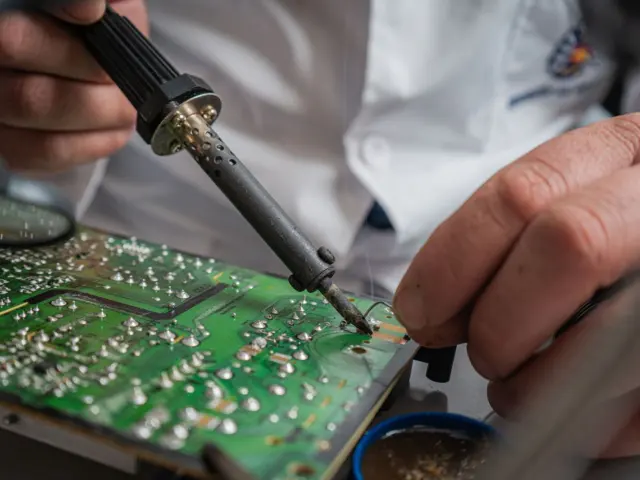
Old machines are generally well-behaved, but they are not safe to switch on blindly. The museum volunteer interviewed by The Register described electrical safety checks and a damage inspection of the boards before any machine is fired up. The full process is laid out in the guide on how to restore a vintage computer, and the steps below follow the same logic.
- Look the machine over before it goes near a power socket.
- Inspect the boards for capacitor damage and battery damage.
- Clean the components in a general way.
- Disconnect the power supply from the machine and verify that the correct voltages are present.
- Only then plug anything in.
The report quotes the volunteer saying the team is looking for RIFAs, capacitor damage and battery damage. It calls RIFA capacitors and aging batteries the bane of the retro-computing world. The former can crack over the years, releasing smoke and occasionally catching fire, which makes RIFA capacitors a clear first check.
Batteries are the other major hazard. The same report says they are prone to leaking, spilling corrosive chemicals over a motherboard and damaging or destroying circuit traces and components. Storage may matter too: if an Amiga with a battery-backed memory expansion was stored horizontally, damage might stay on the expansion board, but if it was stored vertically the battery fluids might have gone anywhere.
Newer boards bring their own trouble. The Amiga 600 and 1200 use surface-mount capacitors, which the report calls more of a challenge for volunteers to deal with. Corrosion can start around them even when the board looks fine at first glance, so surface-mount capacitors reward a close look with good light and patience.
The retrobrighting debate
Yellowed plastic is the most visible sign of age. Retrobrighting removes the yellowing from plastics using a hydrogen peroxide solution, and the volunteer in the report was not a fan. She preferred a lighter restoration of the electronics while letting the cases show their age, as The Register noted.
Whether to retrobright is a matter of taste and of how you value original material. Some owners want a machine that looks new, while others treat patina as part of the history. Decide before you start, because you cannot easily put the yellow back.
When restoration goes wrong
Collectors are honest about failures, which is a useful lesson in itself. The Vintage Computing and Gaming list records an Apple eMate 300 marked as a failed repair attempt. It also records an Apple Mac IIsi with a battery leak and an Apple Mac Plus tagged as a cleaning victim.
The takeaway is not that you should avoid repair. It is that careful, reversible steps beat enthusiastic ones. Test before you clean, photograph before you disassemble and ask experienced hobbyists when you are unsure about anything that touches mains power.
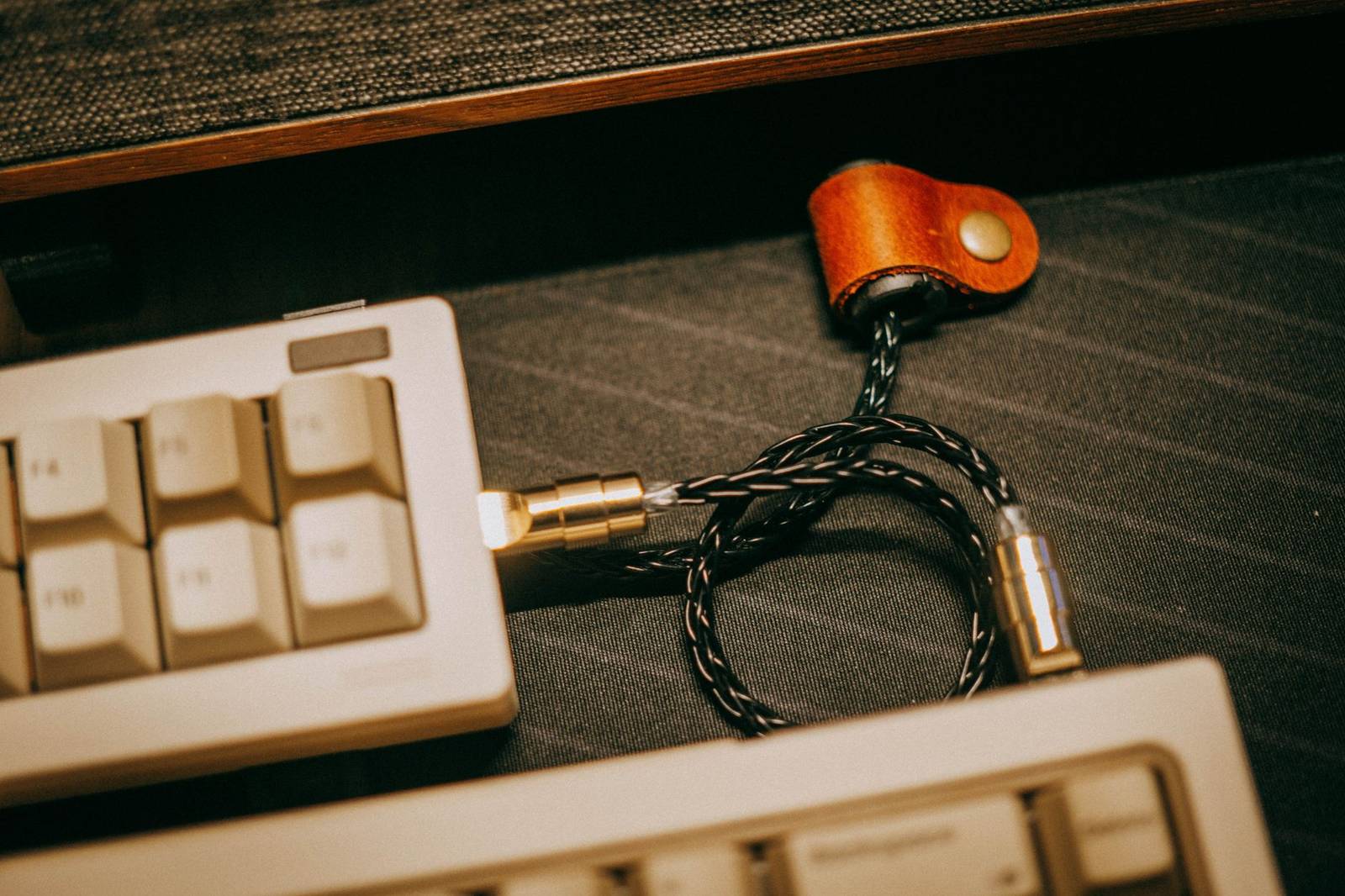
Floppies, software and the media that carried them
Hardware is only half of a working retro setup. Software and storage decide what you can actually do with it, and for many home computers that meant floppy disks. The hum of the drive is one of the sounds the Finnish collector names as part of the experience, as noted on the collection page.
The Waterloo catalogue entry is a good example of what a disk collection looks like. It lists titles such as these:
- Zaxxon
- BurgerTime
- Karateka
- Sargon III
Those titles come from the museum’s record of the donated Commodore 64 disks, and they span arcade conversions and chess alike. A box of disks is a time capsule of what people played and wrote. The story of the media itself is told in the floppy disk history guide.
Storage has varied in other ways too. The Amiga 1000 needs its Kickstart loaded from a floppy disk, while later models keep it in ROM, according to The Register. The Pioneer Palcom PX-7 went a different direction by combining an MSX computer with a LaserDisc player, as the Finnish collection page notes.
A few sensible habits apply to any old media:
- Treat every old disk as fragile and handle it as little as possible.
- Make a backup copy before you test a disk you care about.
- Label what you have tested and what still needs checking.
Software can also win over new users in surprising ways. The Register found that Deluxe Paint III was popular with younger visitors, one of whom preferred to sketch rather than play. That suggests creative tools may hold up as well as games do.
What retro computing teaches about design
Old computers are design objects as well as technical ones. The IBM ThinkPad 701CS, with its folding keyboard, is in the permanent collection of New York’s Museum of Modern Art, according to the Finnish collection page. That placement treats a laptop as an object worth studying for its form as well as its function.
Looking at machines like these is a practical way into questions of form, ergonomics and constraint. The guide on what is industrial design sets out those ideas, and the Commodore SX-64 and the Macintosh Portable M5120 are good case studies in how portability changed a product.
There is a web angle too. The Finnish page names the NeXT NeXTstation as the platform on which Tim Berners-Lee invented the World Wide Web. If you build for the web, the web design basics guide is a good place to ground your practice, and the early web design 1990s guide shows how pages looked in the early days.
The Register’s writer drew another lesson from the Deluxe Paint III exhibit: that certain software vendors today obsess over loading simple text and bitmap editors with AI, when all users want is simplicity. That is one journalist’s opinion, but it is a handy test. Ask of any old program why it still feels good to use, and write down the answer.
Constraints also shaped everything. With 256 KB of RAM in the Amiga 1000, as The Register’s report puts it, designers had to be selective about what the software did. Working within limits like that is a habit worth borrowing for any modern project.
If you start a collection or a restoration project, keep notes as you go:
- Record each machine’s model, condition and any faults you find.
- Photograph the inside before you touch anything.
- Keep the original boxes and manuals when you can.
- Write down what you change, so it can be undone.
Good notes make a collection into a record that other people can learn from, which is the same spirit that keeps museums and private archives going.
Frequently asked questions
Is retro computing the same as collecting old computers?
Show answer
No. Collecting is one part of it, but retro computing also covers repair, playing original software, programming for old systems and visiting museums. Many people do several of these without owning a large collection.
Why should an old Amiga be checked before you switch it on?
Show answer
According to The Register’s 19 August 2025 report, the museum’s volunteers inspect boards for capacitor and battery damage and verify voltages before plugging anything in. RIFA capacitors and aging batteries are described as the bane of the retro-computing world, so a check protects the machine and you.
Should you retrobright yellowed plastic?
Show answer
It is a matter of taste. Retrobrighting uses a hydrogen peroxide solution to remove yellowing, but the museum volunteer quoted in that 19 August 2025 report preferred a lighter restoration and let the cases show their age.
Are classic computers hard to find?
Show answer
It depends on the model. The Binary Dinosaurs site calls the Commodore 64 massively ubiquitous and completely non-rare, while the Finnish collection page says fewer than 600 Telmac TMC-600 units were ever produced.
Where is the best place to start?
Show answer
Choose one platform that interests you and read how collectors and museums describe it. Then see real machines in a museum, learn the safety basics, and only afterwards decide whether to buy, repair or simply play.